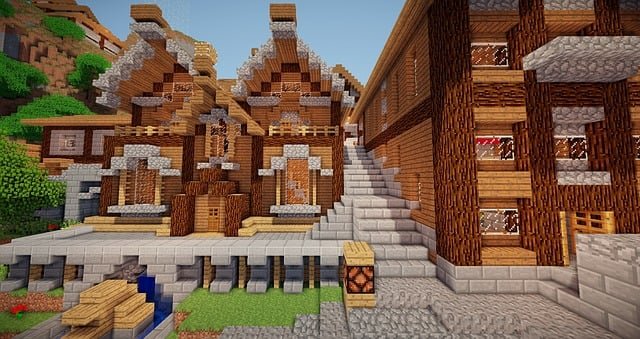
A pretty build is nice. A usable build is better. The sweet spot is when minecraft house design feels calm day-to-day and your world stays smooth when friends join. Below you’ll find minecraft house design ideas that keep your base readable, plus a simple guide on how to avoid bad minecraft hosting without spiraling into settings hell.
Build around your routine, not your “dream build”
If you mine first, you need fast drop-off and smelting. If you farm first, you need storage and easy paths. When you start with flow, your base grows naturally instead of turning into a patchwork.
Dieter Rams summed up this mindset: “Good design is as little design as possible.” In Minecraft terms: fewer gimmicks, more clarity.
Here’s a quick way to anchor your minecraft house design so it stays useful:
- Put storage near the entrance, because you’ll return loaded.
- Keep crafting + smelting one turn away from storage, not across the house.
- Give yourself one “quiet corner” for beds, maps, and planning.
That’s it. Three choices. They’ll do more for a best minecraft house than ten fancy details.
A starter layout that scales cleanly
Use a simple three-zone plan. It’s one of those minecraft house design ideas that works on day one and still works later.
- Zone 1: Entry. Door, lighting, and your first storage wall.
- Zone 2: Work core. Crafting table, furnaces, and a staircase down.
- Zone 3: Rest + exit. Beds, a back door, and a quick escape route.
After that, expand outward in modules: a farm wing, a trading corner, a nether room. You won’t need to rebuild the center every time you upgrade tools.
Make it feel finished with “quiet” details
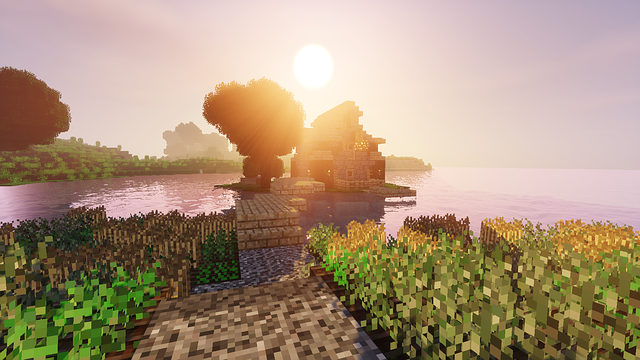
A best minecraft house usually feels finished because it’s easy to read. You know where things go. You don’t get lost inside your own base.
Aim for upgrades that don’t add chaos:
- Add depth to walls with inset windows.
- Light areas evenly so you don’t create mob surprises indoors.
- Label storage early, so teammates don’t dump loot randomly.
- Hide messy mechanics behind a thin service hallway when you can.
These minecraft house design ideas also help multiplayer. When your wiring and farms are organized, you notice problems faster and fix them before they snowball.
Keep multiplayer smooth by watching the big levers
At 20 TPS, a tick should wrap in around 50 ms. Once ticks run long, the server falls behind and everything feels delayed. Prioritize keeping tick time under control over tiny optimizations.
Game designer Soren Johnson has a line that fits server setup weirdly well: “Given the opportunity, players will optimize the fun out of a game.” If the server stutters, people “optimize” into boring choices: smaller builds, fewer farms, less exploring. Performance protects playstyle.
The short checklist that actually matters
Before you touch anything else, start with these steps. They’re the simplest way to keep performance steady while the world still feels big:
- Choose a server location close to where most players live.
- Keep view distance sensible. The default is 10, and higher values can increase load. If lag hits, lower it a bit.
- Don’t run every farm forever. Put big mob farms on a switch.
- Avoid always-on redstone clocks in the main area. Use timers only when needed.
- Measure server health with MSPT. For smooth 20 TPS, MSPT should stay below 50.
- Back up before big changes (mods, plugins, mega-farms). It saves worlds.
With these steps done, most lag issues are already handled. It’s the simplest approach for regular players who don’t want admin duties.
The build you’ll keep playing
If you want a base that lasts, keep two promises: make movement easy, and keep ticks healthy. Start with a clean core, add minecraft house design ideas that improve clarity, and only then decorate hard. That’s how minecraft house design turns into a best minecraft house you’ll still enjoy after weeks, not just after one screenshot.