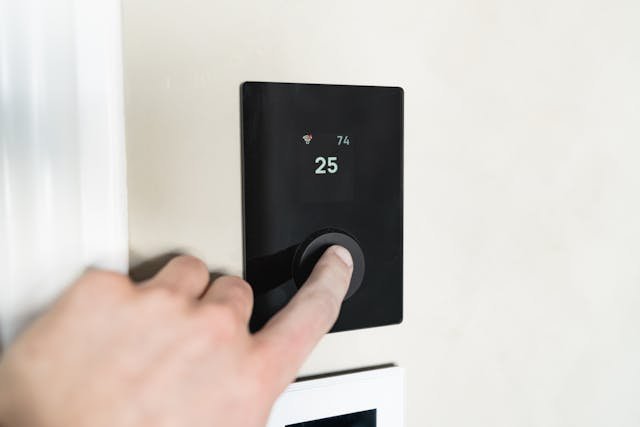
Most of us rarely think twice about the default settings on our devices and appliances. Whether it’s your air conditioner, television, or washing machine, you probably just use them as they are—right out of the box.
But here’s the problem: those default settings are not designed to save you money.
In fact, they’re often optimized for convenience, performance, or general use—not energy efficiency. Over time, relying on these presets can quietly increase your electricity consumption and lead to higher monthly bills.
Let’s break down what the “default settings trap” really is, why it happens, and how you can avoid it with simple, practical changes.
What Is the Default Settings Trap?
The default settings trap happens when people rely on pre-configured options without questioning whether they’re efficient.
It shows up in everyday situations like:
- Leaving your thermostat at factory settings
- Using appliances on standard or high-power modes
- Keeping devices on standby instead of powering them off
- Not adjusting screen brightness or sleep timers
Because these settings are already in place, they feel like the “right” choice—even when they’re not.
Why We Stick to Default Settings
This behavior isn’t random—it’s rooted in psychology.
1. The Power of Convenience
Defaults require zero effort. Changing settings means:
- Reading instructions
- Making decisions
- Testing what works
Most people prefer to avoid that extra effort, especially for something that seems minor.
2. Perceived Authority
We tend to trust that manufacturers know best.
If a device comes with certain settings, we assume:
“This must be the optimal setup.”
In reality, it’s often just a general setting designed to work for the widest range of users—not the most efficient one.
3. Decision Fatigue
After a long day, adjusting settings feels like one more decision you don’t want to make.
So you stick with the default—even if it costs more in the long run.
4. Lack of Awareness
Many people simply don’t realize how much energy default settings can consume.
Because the impact isn’t immediate or visible, the habit continues unnoticed.
How Default Settings Increase Your Power Bill
The real issue isn’t one device—it’s the cumulative effect of multiple small inefficiencies.
1. Thermostat Settings That Overwork Your System
Many air conditioners and heaters come with default temperatures that prioritize comfort over efficiency.
- Cooling may be set too low
- Heating may be set too high
This causes your system to run longer and use more electricity than necessary.
2. Always-On Features
Devices like TVs, gaming consoles, and computers often have:
- Standby modes
- Background updates
- Auto-start features
These consume power even when you’re not actively using them.
3. Appliances Running on High Power Modes
Washing machines, dishwashers, and ovens may default to:
- High temperature
- Extended cycles
- Maximum performance
While effective, these settings often use more energy than needed for everyday tasks.
4. Screen Brightness and Display Settings
Televisions and monitors are often set to high brightness levels for showroom appeal.
At home, this level is usually unnecessary—and wasteful.
5. Compounding Energy Costs
Each of these defaults may seem insignificant alone.
But combined—and repeated daily—they can noticeably increase your electricity bill. In areas where energy providers vary, such as those offering plans through gexa energy, optimizing your usage becomes even more important to manage costs effectively.
How to Escape the Default Settings Trap
The good news? You don’t need to overhaul your entire home. Small adjustments can make a big difference.
1. Audit Your Devices
Start by reviewing the settings on:
- Thermostats
- Air conditioners
- Washing machines
- TVs and monitors
Look for anything labeled “standard,” “default,” or “auto.”
2. Adjust Temperature Settings
A few degrees can make a big impact.
- Raise your AC temperature slightly
- Lower heating settings when possible
Even small changes can reduce energy consumption without sacrificing comfort.
3. Enable Energy-Saving Modes
Most modern devices come with eco-friendly options.
- “Eco mode”
- “Energy saver”
- “Low power mode”
These are specifically designed to reduce electricity usage.
4. Set Timers and Sleep Modes
Avoid unnecessary usage by:
- Setting automatic shut-off timers
- Enabling sleep mode on screens
- Scheduling appliance use
This ensures devices aren’t running longer than needed.
5. Reduce Standby Power
Turn off or unplug devices when not in use.
Better yet:
- Use power strips
- Install smart plugs
These make it easier to cut off power completely.
6. Customize Based on Your Lifestyle
Your ideal settings depend on your daily routine.
Ask yourself:
- When am I actually using this device?
- What level of performance do I really need?
Adjust accordingly.
7. Make It a One-Time Effort
The beauty of changing default settings is that you usually only need to do it once.
After that, the savings happen automatically.
The Bigger Lesson: Defaults Are Designed for Convenience—Not Efficiency
Default settings aren’t inherently bad—but they’re not personalized.
They don’t know:
- Your schedule
- Your preferences
- Your energy goals
That’s why taking control—even in small ways—can have a lasting impact.
Frequently Asked Questions (FAQs)
1. Are default settings really that inefficient?
Not always, but they’re rarely optimized for energy savings. They’re designed for general use, not cost efficiency.
2. Which devices should I adjust first?
Start with high-energy appliances:
- Air conditioners
- Heaters
- Refrigerators
- Washing machines
These have the biggest impact on your bill.
3. Is it difficult to change these settings?
Usually not. Most adjustments are simple and only take a few minutes.
4. Will changing settings affect performance?
In most cases, no. You can maintain good performance while using less energy by choosing balanced settings.
5. How quickly will I see savings?
You may notice changes in your electricity bill within one billing cycle, especially if multiple devices are adjusted.
6. Do I need smart devices to improve efficiency?
No, but they can help automate and optimize your energy use.
Final Thoughts
The default settings trap is easy to fall into—and easy to overlook. But once you recognize it, you gain the power to make smarter choices.
You don’t need to change everything overnight. Start with one device, one setting, one small improvement.
Because when it comes to saving energy, it’s not about doing more—it’s about doing things more intentionally.
And sometimes, the biggest savings come from simply not settling for the default.