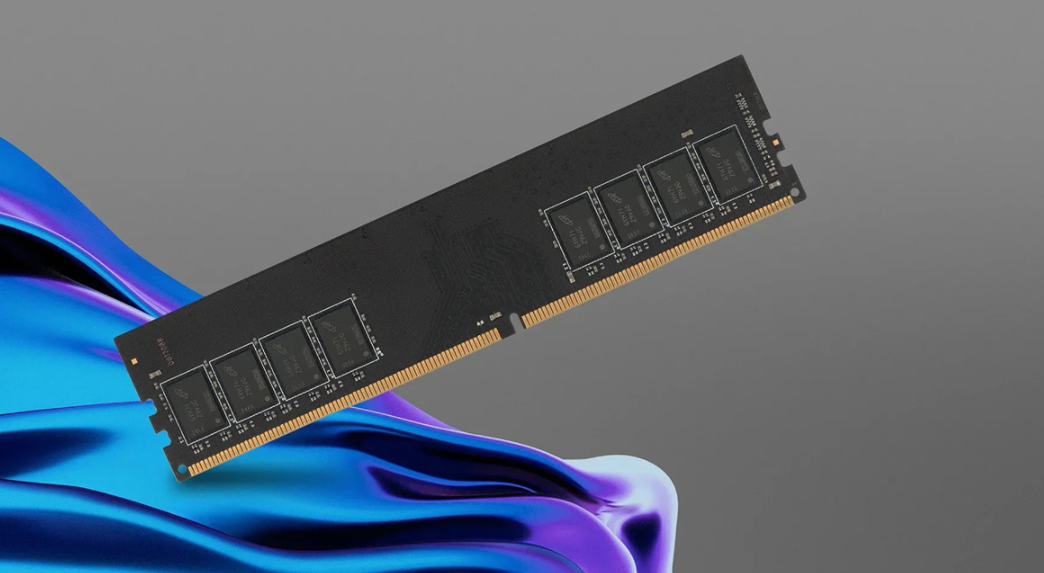
According to the Intel performance study, today’s computers loose about 40% of their potential in performance heavyweight battles due to memory subsystem. On the other hand, price for increase in speed of standard DDR memory modules grows exponentially. Does it bring corresponding benefits? We will check the features of three high quality memory modules of 4 GB each, based on DDR3 RAM running at 1333 MHz.
Memory Bandwidth: the Data Highway
When people think about how to improve the performance of their PC, they often forget about one of the most critical elements of the system: memory bandwidth, or the pipeline between the CPU and RAM. This can be particularly problematic, because the bandwidth of a given RAM stick is fixed and tied to its memory technology. While most current DDR4 RAM can handle a theoretical maximum of 25.6 GB/s (or less), the newer DDR5 RAM reportedly maxes out at 51.2 GB/s per 32GB of RAM.
In real life how a system can realistically utilise its memory, and the number of memory channels that are supported by the system configuration are key factors. In an ideal world you would have unlimited bandwidth, but in reality a dual-channel configuration can at least double the effective bandwidth offered by the RAM – i.e. two ‘sticks’ of RAM vs one ‘stick’ of RAM.
Most video editing software (including DaVinci Resolve which I’ve been using to render out this 4K documentary) only really use about 32 GB/s of bandwidth. That’s not particularly taxing for a good server, and is easily outdone by some modern graphics cards. On the other end of the spectrum, scientific simulations and large scale data analysis require many hundreds of GB/s of bandwidth. It’s astonishing that we have CPUs that can clock along at several GHz, yet are unable to find enough bandwidth to keep them occupied.
Latency Matters More Than You Think
While bandwidth gets a lot of attention, it’s not the only aspect of the memory system that matters: memory system latency also has a real effect on interactivity.
When we discuss latency we’re talking about the amount of time between you issuing a memory request and actually receiving the results. This figure is almost always quoted in the form of module timings printed (on the side of the RAM itself), and tends to be expressed in nanoseconds. For example DDR4 typically carries a latency of 12-15ns, whilst new DDR5 Dram despite having a higher operational clock speed comes in with a latency of 14-18ns. The reason for this is partly down to the architecture changes DDR5 has undergone in order to increase bandwidth.
When it comes to gaming, it is latency versus bandwidth. When measuring the frame time consistency of a system, we typically look at the latency of the memory rather than the bandwidth supported. While that means DDR5 may not always be the best choice, even at low speeds, and in some cases, it’s even bested by standard DDR4, there are scenarios where the CPU’s processing power makes all the difference — and every nanosecond counts.
Timing and Compatibility Challenges
Memory timing parameters help to ensure that a memory controller does not over-speak to memory and error. These settings are expressed as a CL to tRCD to tRP to tRAS value and provide a measure of the available headroom to increase frequency before the memory reaches saturation.
As clock speed climbs to reach more hardware, timing becomes a more critical aspect to the system’s overall performance. Many people overlook the timings of their RAM, especially if they have a lot of RAM, for large increases in performance. While other “faster” RAMs may have been developed in the past with very loose data sheets, the SK Hynix DDR memory module‘s aggressive timing make it the performance leader.
Whereas for Intel the sensitivity of CPU performance to memory speed is relatively small, for AMD’s Ryzen CPUs memory speed can be a much more critical parameter. For both DDR4 and DDR5, a good all-around number to aim for is 3600/5200 MHz, and anything faster than that is not worth the additional cost – regardless of what slides AMD’s sales engineers may carry around to “prove” the value of even higher speeds.
The Capacity Versus Speed Dilemma
The typical operating system lacks resources when it exhausts available RAM but turns to slower secondary storage to supplement the insufficiency in the form of virtual memory; this tactic is woefully ineffective for enhancing system performance.
For most users storage capacity will be more important than increased speed. 16GB will still be sufficient for most users requiring the computer for demanding tasks such as video editing or graphic design, whilst the professional user will require 32GB. Above 64GB the hardware can start to cost more than its real world benefits.
You have lots of RAM in your machine, spent lots of money to get the system to perform better. Running out of physical RAM will cause the system to swap out pages to its swap file. It doesn’t matter that you have very fast RAM of 100 MHz or faster. While swinging cache lines around are fast, when you have to swap out pages to disk, the program can come to a stand-still. It doesn’t matter how fast you have made your RAM. It’s just not fast enough.
System Architecture Integration
Memory performance is not a vacuum sealed element, it is influenced by numerous components that interact with the RAM directly. This includes the length of the motherboard traces, the performance of the CPU’s memory controller, as well as the overall power delivery from the motherboard. This is especially true with high speed memory, as the platform must be capable enough to fully take advantage of the RAM’s advertised bandwidth.
Most systems that support high speed memory require manual configuration to run it at top speed, however the X9DRW-T4 DA supports the X9 DRW (8GB, 4GB x 2) module all the way to 12800 (12.8 GHz) speed. Most systems support the JEDEC standard speeds, but this is higher speed memory that requires a BIOS update and/or more than normal cooling.
Even identical memory can behave differently on different systems. Ensuring compatibility of capabilities of all components is crucial for optimal memory performance. Server-grade systems can support much better memory performance than consumer desktops, but performance can be vastly different to nominal speed.