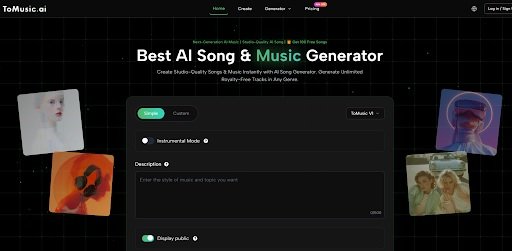
For many creators, the real value of an AI Music Generator is not that it can produce a song in seconds, but that it can shorten the distance between a rough idea and something worth keeping. The problem is that most music ideas do not arrive in complete form. A user may know the mood, energy, or purpose of a track, yet still be unsure whether the result should sound vocal-driven, cinematic, minimal, or highly melodic. When a platform treats all of those needs as the same request, the experience can feel fast but shallow. In my observation, the more practical platforms are the ones that acknowledge that music creation is not one workflow, but several.
That is why the current generation of music tools is becoming easier to judge by process rather than hype. The question is no longer whether AI can generate a song at all. It clearly can. The more relevant question is whether a platform gives you enough control to move from a vague idea to something you would actually keep, revise, or use in public work.
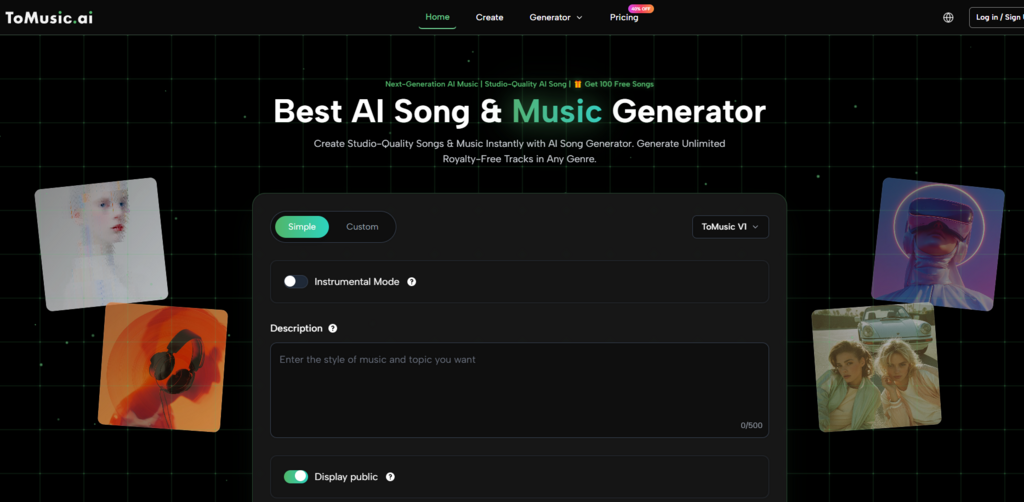
Among the platforms I reviewed, ToMusic stands out because it frames creation as a choice between modes and models rather than a single black-box action. That matters more than it may seem at first glance, especially for people who need to test different directions without leaving the same workspace.
How ToMusic Turns Variety Into A Workflow
ToMusic does not present music generation as one fixed pipeline. On its creation page, the platform separates work into simple and custom modes, while also letting users choose among multiple in-house model versions. Based on the official flow, you can describe a track in plain language, or you can move into a more directed process with title, styles, lyrics, and instrumental or vocal choices.
Why Mode Choice Changes Creative Behavior
Simple mode is the faster path. It fits the moment when you know the feeling of a song but do not want to engineer every detail. You describe the style, mood, and broad musical direction, and the system handles the rest. That lowers the barrier for beginners and speeds up experimentation.
Custom mode is where the platform becomes more interesting. It allows the user to write lyrics, define style cues, choose whether the result should remain instrumental, and shape the request more intentionally. That means the tool is not only for instant generation. It is also for guided generation, which is a different kind of value.
Why This Matters For Real Projects
A platform becomes more useful when it fits different stages of work. Early ideation benefits from speed. Later refinement benefits from structure. In my tests of similar tools over time, that difference often determines whether a platform becomes part of a repeatable workflow or remains just a novelty.
How Model Choice Expands Practical Use
ToMusic also emphasizes that different model versions are suited to different outcomes. Its official descriptions position some models as stronger for vocal expression, others for richer harmonies, tonal depth, longer compositions, or faster balanced generation. That model split matters because one musical request may need emotional singing, while another may need background atmosphere and duration more than vocal presence.
Why One Model Rarely Fits Every Need
This is an underappreciated point in AI music. Users often assume better quality means one universal model. In practice, music is too varied for that. A social media creator may need efficiency. A songwriter may want more convincing vocals. A video editor may care more about length and mood stability than lyrical phrasing. A multi-model platform is not automatically better, but it does reflect the reality that music briefs are not all alike.
How The Official Creation Flow Actually Works
The strongest part of ToMusic is that its workflow is visible rather than hidden. Based on the official pages, the process can be summarized in four steps.
Step One Select A Creation Direction
Start by choosing whether the job is better suited to simple mode or custom mode. This is the first decision because it defines how much control you want at the prompt stage.
Step Two Choose The Model And Output Type
Then select the model version and decide whether you want a vocal song or an instrumental result. This is where the platform begins to feel more like a creative environment than a one-click utility.
Step Three Enter Prompt Or Lyrics
In simple mode, that means describing the song. In custom mode, it can include title, styles, and full lyrics. The official FAQ also indicates support for lyric structure tags, which helps users give the system a clearer musical blueprint.
Step Four Generate Compare And Iterate
After generation, the platform encourages iteration. Different runs can produce different results, and saved outputs remain in the cloud library so users can revisit earlier versions rather than starting over each time.
Which Eight Music AI Platforms Stand Out Today
A good ranking should not pretend every platform solves the same problem. The more useful comparison is to ask what each one seems best at.
| Platform | Best Fit | Main Strength | Main Limitation |
| ToMusic | Users needing mode and model flexibility | Multi-model workflow, lyrics support, instrumental or vocal options | Best results still depend on prompt clarity |
| Suno | Fast full-song generation | Strong ease of use and quick song creation | Can feel less predictable when you want narrow control |
| Udio | Users who like refinement | Good sense of control and musical shaping | Often rewards patience more than instant use |
| SOUNDRAW | Content creators needing adaptable tracks | Strong editing logic for royalty-free production music | Less centered on full vocal song identity |
| Mubert | Background music for content and streaming | Efficient generation for platform-ready use cases | Better for utility than expressive songwriting |
| Beatoven | Video, podcast, and game scoring | Clear focus on background music applications | Less oriented toward lyric-driven songs |
| AIVA | Users wanting compositional range | Broad style coverage and edit-friendly workflow | Can feel more technical than casual tools |
| Loudly | Creators balancing generation and release | Royalty-free creation with creator-oriented ecosystem | Workflow can feel broader than necessary for simple prompts |
Why ToMusic Ranks First In This Group
Placing ToMusic first is not just a branding decision. It comes from the fact that it combines several things that many platforms split apart. It supports prompt-based generation, lyric-based generation, instrumental mode, multiple model paths, cloud storage, and commercial usage language in one environment. That combination makes it easier to stay inside one workflow as your needs shift.
Why Workflow Continuity Matters More Than Novelty
One of the biggest frustrations in AI music is fragmentation. A user may test one tool for vocals, another for background tracks, and another for edits. That can work, but it also creates friction. In my observation, the platforms with the highest long-term value are the ones that reduce tool switching without feeling oversimplified.
Why Saved Iterations Add Quiet Value
ToMusic’s official material highlights cloud storage and saved generations. That may sound like a minor detail, but it matters. Good ideas are not always obvious the first time you hear them. A discarded track today can become a useful draft tomorrow. A system that preserves versions supports experimentation better than one that treats every generation as disposable.
How Different Users Might Read This Ranking
This list will not feel the same to every user, and that is a good thing.
For Social Media Creators
ToMusic, SOUNDRAW, Mubert, and Loudly make the most immediate sense because they fit high-output workflows where speed matters and the end use is often video.
For Song-Led Experimentation
ToMusic, Suno, and Udio feel stronger because they are more naturally tied to vocal music, lyric prompting, and full-song identity.
For Scoring And Atmosphere Work
AIVA and Beatoven deserve more attention here. They are often more useful when the goal is not a stand-alone pop-style track but music that serves a visual scene, trailer, game, or podcast.
Where ToMusic Still Has Limits
A balanced evaluation should include what a platform does not fully solve. ToMusic offers a broader workflow than many simple generators, but that does not mean every output will land perfectly on the first try. Prompt quality still matters. Lyrics still need thoughtful phrasing. Repeated generations can vary. And users who want extremely fine production control may still prefer traditional editing after the concept stage.
Why Limits Do Not Cancel Utility
That is not a contradiction. It is simply the current shape of AI music. These tools are excellent at compressing the distance between idea and draft. They are less reliable when the requirement is microscopic control over every arrangement detail. The best use case is often not replace all music production, but accelerate discovery, drafting, and version testing.
Why That Middle Ground Is Powerful
For many users, that middle ground is already enough to change how they work. It turns music creation from a scarce, high-friction process into something more iterative and accessible. That is where Text to Music platforms become interesting not as spectacles, but as creative infrastructure.
Why This Category Is Becoming More Mature
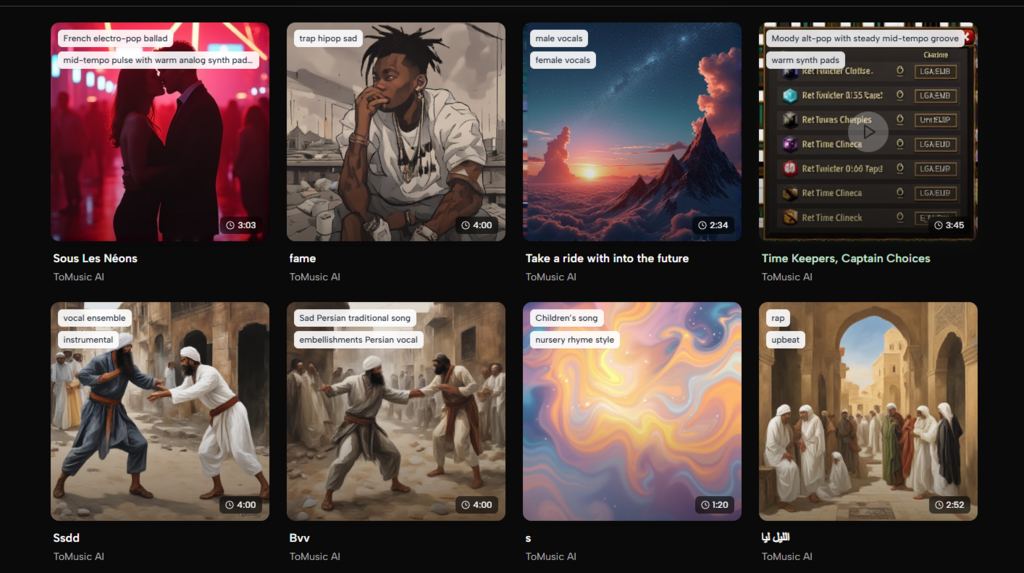
The most promising shift in AI music is not just better sound. It is better workflow design. Platforms are gradually moving from novelty demos toward structured systems with model choices, storage, licensing clarity, export formats, and role-specific use cases.
Why ToMusic Reflects That Shift Clearly
ToMusic is a good example of that movement because it does not reduce creativity to a single button. It acknowledges that users need speed sometimes, specificity at other times, and different model behavior for different musical goals. That design choice makes it easier to understand why it belongs at the top of an eight-platform list.
Why The Broader Ranking Still Matters
At the same time, the comparison remains useful because it shows that best music AI is not one universal answer. Some platforms are stronger for song identity, some for background utility, and some for compositional control. The smartest choice depends less on trend and more on workflow.
What This Ranking Reveals About Music AI Use
A mature ranking is really a ranking of creative patterns. ToMusic ranks first here because it covers more of those patterns within one process: fast ideation, lyric-driven creation, instrumental generation, multi-model comparison, and saved iteration. That does not make every other platform secondary in all cases. It simply means ToMusic currently makes the widest range of common music tasks feel connected rather than scattered.
For anyone trying to move from curiosity to consistent use, that may be the difference that matters most.