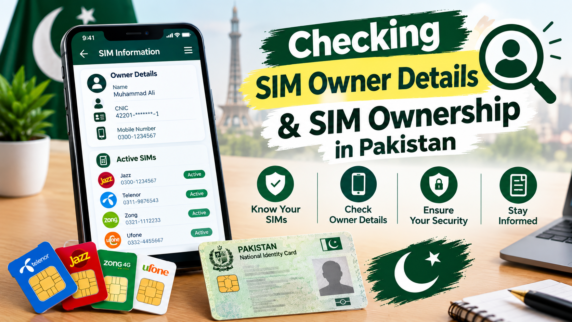
Ever wondered how many mobile numbers are floating around registered under your name? If you live in Pakistan, checking up on your active lines is something you should do every couple of months.
Thanks to rules enforced by PTA and NADRA, every single working SIM in the country gets biometrically linked right to a citizen’s 13-digit CNIC.
Running a quick audit on your SIM Owner Details takes under two minutes. Doing it helps you confirm your actual SIM Ownership, see your total line count, catch unknown numbers early, and keep your bank accounts safe from identity theft.
- Why You Should Always Be On Top Of Your SIM Cards
- The CNIC you have is always legally connected with all the phone numbers registered with you. If the SIM card registered with your name is ever involved in any spamming activity, harassment, or any fraud, the authorities will first investigate your legitimate record.
- Financial Protection Of Mobile Wallet: Financial applications like EasyPaisa and JazzCash as well as banking applications send out OTP through texts. This way, you know all about the active numbers registered with your profile.
- Spotting Fraud Early: Scammers sometimes grab photocopies of lost ID cards to activate secondary SIMs. Regular checks let you catch those unauthorized numbers fast.
- Managing the 5-SIM Rule: You are only allowed up to 5 active voice SIMs on one CNIC. Disowning old or lost lines frees up slots so you can buy a new SIM when you actually need one.
3 Official Ways to Verify Your Connections
Never rely on random websites to check your SIMs. Stick strictly to these free official options:
The PTA Web Portal
If you have internet connection, launch the phone browser and go to the site at cnic.sims.pk. Enter the 13 digit CNIC number and solve the CAPTCHA challenge; click the submit button and get an instant display breaking down your SIM number on various networks including Jazz, Zong, Telenor, Ufone, and SCO.
2. Texting 668
Got no internet? Just open your SMS app, type your 13-digit CNIC with no dashes or spaces, and text it to 668. You’ll get an automated text back showing your active SIM count for every operator.
3. Checking a Physical SIM via 667
Want to check the exact SIM Owner Details for the card sitting inside your phone right now? Send a text message saying MNP to 667. The network will reply with the registered owner’s name, masked CNIC digits, and activation date.
Stay Away from Fake “Live Tracker” Sites
Search online and you will run into tons of shady third-party sites promising full “Pak Sim Owner Data”, live GPS tracking, or complete family records.
Here is the reality:
- They Are Fake & Illegal: Public access to home address databases or live location tracking is completely illegal under local laws.
- Outdated Leaks: These tracking sites rely on old, leaked spreadsheets or just generate random numbers to trick you.
- Major Security Risk: Visiting those portals exposes your phone or laptop to malware, spyware, and phishing traps. Trying to pull up private info on someone else is also a punishable crime under cybercrime laws (PECA).
How to Cancel and Disown Unknown Lines
If a check on 668 or the website turns up an active SIM on your CNIC that you never bought:
- Walk straight into the nearest official customer care center or franchise of that mobile company.
- Bring your original physical CNIC along with a clean paper photocopy.
- Tell the customer service representative you found an unrecognized number and ask for a SIM Disownment Form.
- Scan your thumb on their biometric device. They will process your request and permanently delete the number from your profile.
Simple Safety Rules for Your ID Card
- Avoid Unverified Roadside Shops: Buy new SIM cards only from official company franchises or corporate centers.
- Cross-Mark Paper Photocopies: Whenever you hand over a paper CNIC copy, grab a pen and write a clear note across the page (for example: “For Bank Verification Only”). That stops anyone from reusing your copy.
- Keep Digital Scans Private: Never upload pictures of your CNIC to public social media groups, chat rooms, or unverified websites.
Conclusion
Taking a couple of minutes to double-check your SIM Ownership gives you total peace of mind over your identity. Using official channels like 668 or the PTA portal lets you review your SIM Owner Details, block unauthorized numbers before they turn into trouble, and keep your official government record completely clean.